spring-ai-playground
description: Tutorial 3 - upload a document, watch the ETL pipeline (extract → chunk → embed → store), and verify retrieval with a similarity search.
Tutorial 3 - Index a Document for RAG
Time 6 min · Difficulty ★☆☆ · Surfaces Vector Database
!!! abstract “Goal” Upload a document, watch it pass through the ETL pipeline (extract → chunk → embed → store), and verify retrieval quality with a similarity search before relying on it in chat.
Steps
- Open Vector Database. The header shows the active store and embedding model:
SimpleVectorStore - Ollama: qwen3-embedding:0.6b.
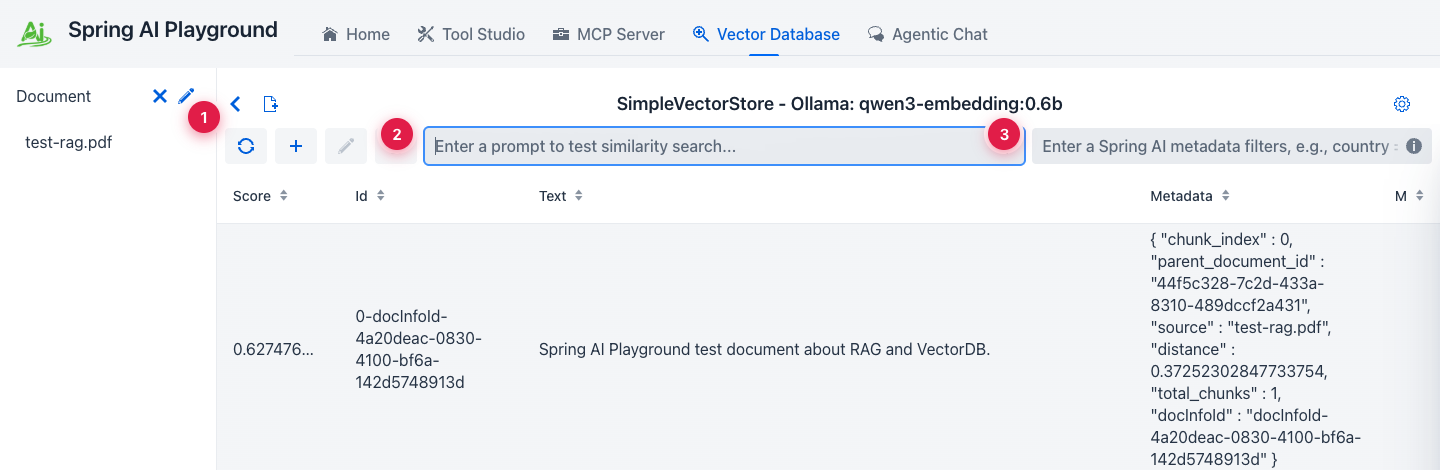 ① indexed-doc sidebar (single source of truth), ② similarity-search input (hit Enter to query), ③ Spring AI metadata filter expression - same syntax you’d use in code.
- Click the document-add icon next to the sidebar to open the New Document & ETL Pipeline dialog. Drop in a PDF, DOCX, or PPTX - up to 20 MB.
- Tune the splitter only if the defaults don’t match your content shape.
Chunk SizeandMin Chunk Size Charsare the two that move retrieval quality the most.
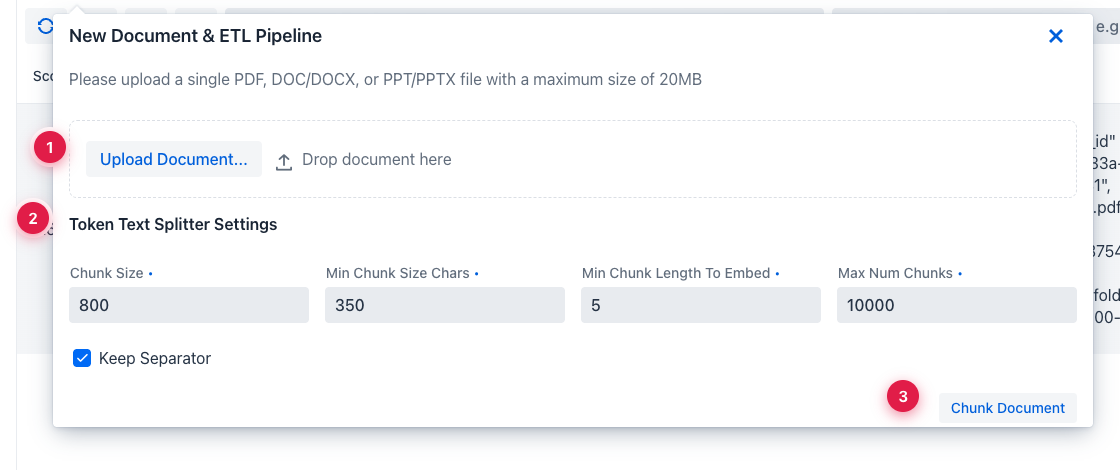 ① upload the file (drag-drop also works), ② token-splitter settings -
 Chunk Size and Min Chunk Size Chars move retrieval quality the most, ③ Chunk Document runs extraction + splitting and shows the chunks before embedding, so you can adjust the splitter without re-uploading.
- After embedding, run a similarity search to confirm retrieval works. Use a phrase that should be in the document.
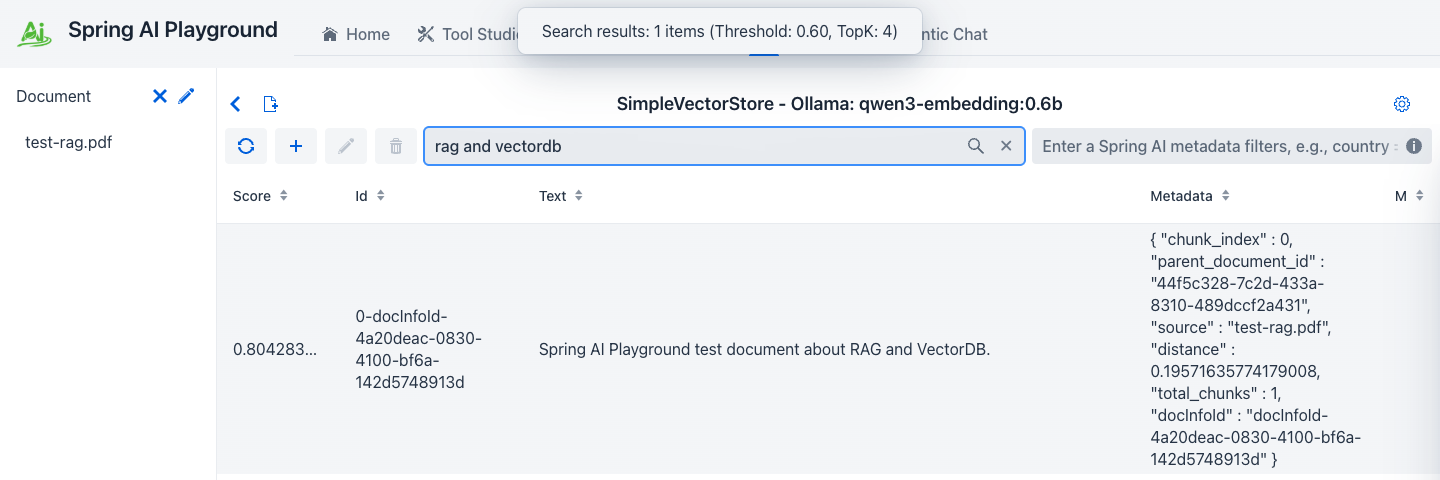 ① cosine similarity score (0.0-1.0), ② the retrieved chunk text, ③ metadata used by Spring AI filter expressions (
source, chunk_index, custom fields).
!!! tip “Why this matters” Bad RAG starts here, not in chat. If the chunk you expect to be retrieved doesn’t show up here at a reasonable similarity score (≥ 0.6 for most cases), the chat answer will be ungrounded - no amount of prompting fixes that.
!!! warning “Don’t change the embedding model after indexing”
The vector store stores raw vectors. Switching from qwen3-embedding:0.6b to a different model leaves the old vectors in place but indexed in a different space. Re-import or rebuild before trusting retrieval again.