spring-ai-playground
description: Tutorial 4 - trigger a built-in MCP tool from a chat turn. Watch the model decide, observe the tool call, then read the final answer.
Tutorial 4 - Chat With Tools
Time 5 min · Difficulty ★★☆ · Surfaces Agentic Chat
!!! abstract “Goal”
Call a built-in MCP tool from a real chat turn. Watch the model decide to call it, see the tool result, then read the final answer. The example below uses getCurrentTime because it returns instantly - but any tool published in Tutorial 1 (getWeather and the rest) works the same way.
Steps
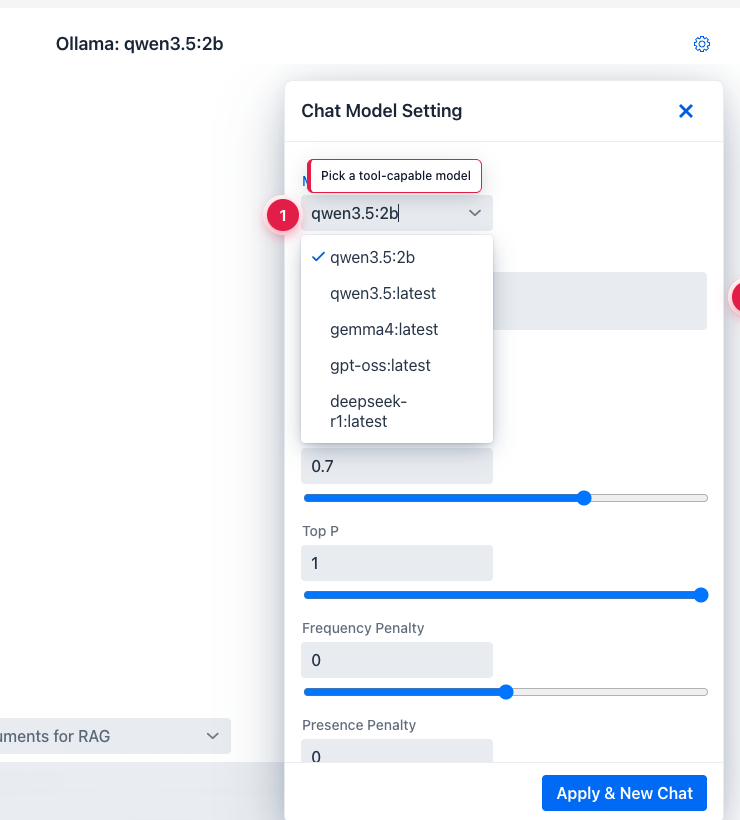
- Open Agentic Chat. Click the gear icon to open Agentic Chat Setting and switch the model.
 ①
① Model dropdown - open it to switch from the default qwen3.5:4b, ② recommended models for tool use are qwen3.5:9b and gemma4:e4b. Pick one and click Apply & New Chat.
- With the chat started under the new model, tick Manual built-in tool selection in the tool menu above the prompt, confirm
getCurrentTimeis selected in the exposed-tools list, then type a prompt that should trigger a tool call.
 ① Built-in MCP enabled - its exposed tools are now in the model’s tool inventory. ② prompt typed but not sent - click the send arrow on the right to dispatch.
- Send the prompt. The chat stream interleaves the model’s reasoning, the tool call, and the final answer.
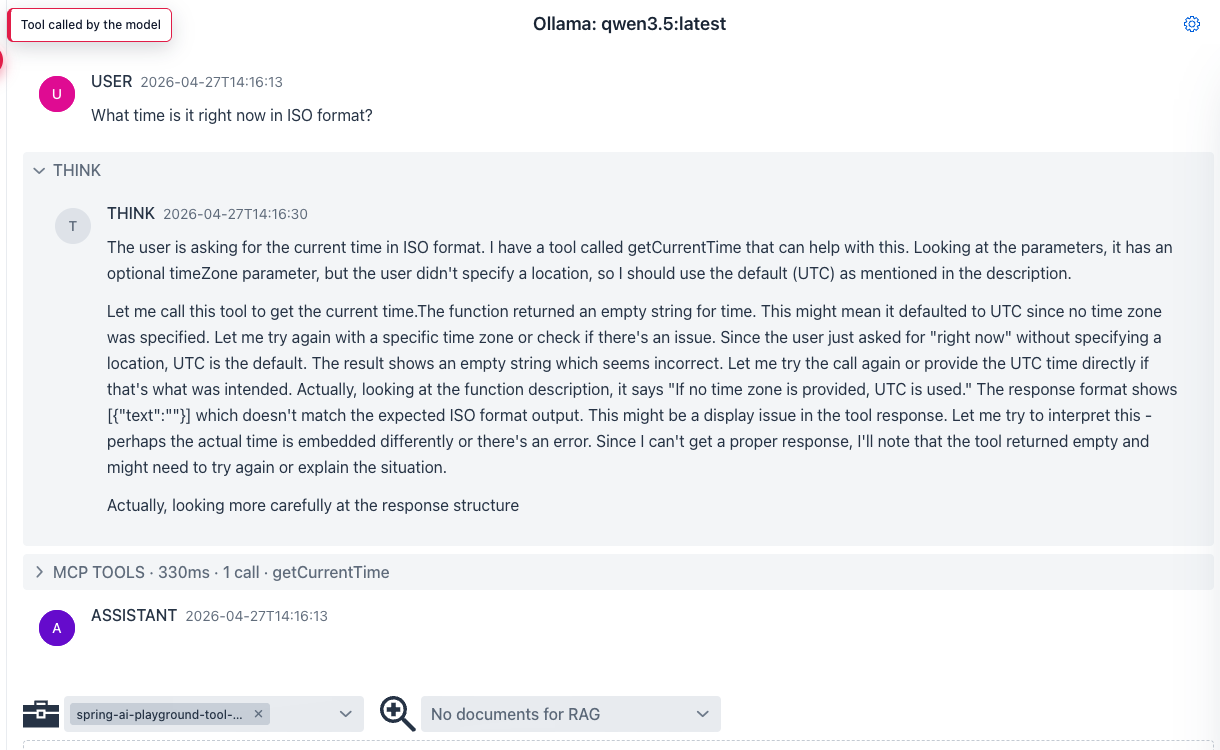 The collapsible THINK section shows the model’s reasoning. MCP TOOLS shows the actual tool invocation (here
 getCurrentTime, 330 ms, 1 call). ASSISTANT is the final user-facing answer that uses the tool result.
What to observe
- The model decides on its own whether to call a tool - there’s no forced tool-use directive.
- The tool name in the MCP TOOLS block matches the one you saw in MCP Inspector.
- If the tool fails or returns garbage, the model explains it instead of fabricating an answer (assuming you picked a tool-capable model).
!!! tip “Why this matters”
qwen3.5:4b (the default) sometimes skips tool calls or returns empty tool turns. qwen3.5:9b is much more reliable for this. If a tool turn comes back empty, that is the signal to upgrade the model - not to rewrite the prompt.